This can reduce memory leaks when using WebAssembly-based Workers, which includes Python Workers and Rust Workers. The FinalizationRegistry works by enabling toolchains such as Emscripten ↗ and wasm-bindgen ↗ to automatically free WebAssembly heap allocations. If you are using WASM and seeing Exceeded Memory errors and cannot determine a cause using memory profiling, you may want to enable the FinalizationRegistry.
For more information refer to the enable_weak_ref compatibility flag documentation.
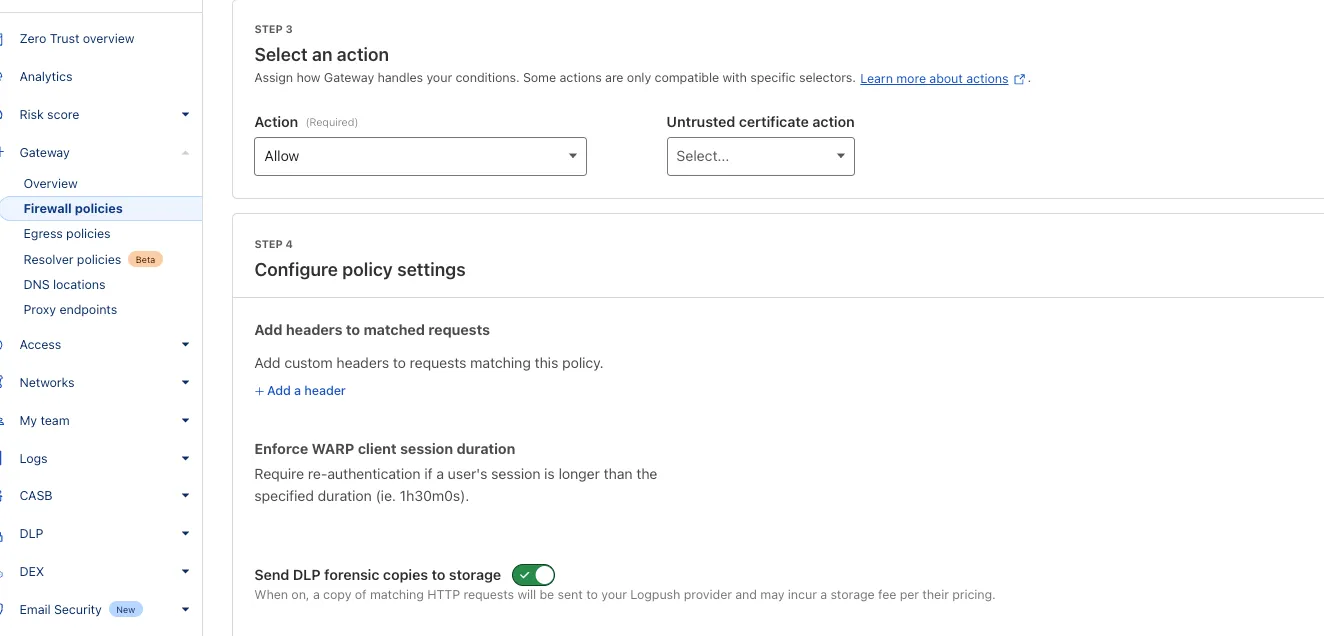
You can now send DLP forensic copies to third-party storage for any HTTP policy with an Allow or Block action, without needing to include a DLP profile. This change increases flexibility for data handling and forensic investigation use cases.
By default, Gateway will send all matched HTTP requests to your configured DLP Forensic Copy jobs.
Cloudflare Load Balancing now supports UDP (Layer 4) and ICMP (Layer 3) health monitors for private endpoints. This makes it simple to track the health and availability of internal services that don’t respond to HTTP, TCP, or other protocol probes.
What you can do:
Set up ICMP ping monitors to check if your private endpoints are reachable.
Use UDP monitors for lightweight health checks on non-TCP workloads, such as DNS, VoIP, or custom UDP-based services.
Gain better visibility and uptime guarantees for services running behind Private Network Load Balancing, without requiring public IP addresses.
This enhancement is ideal for internal applications that rely on low-level protocols, especially when used in conjunction with Cloudflare Tunnel, WARP, and Magic WAN to create a secure and observable private network.
Earlier this year, we announced the launch of the new Terraform v5 Provider. Unlike the earlier Terraform providers, v5 is automatically generated based on the OpenAPI Schemas for our REST APIs. Since launch, we have seen an unexpectedly high number of issues ↗ reported by customers. These issues currently impact about 15% of resources. We have been working diligently to address these issues across the company, and have released the v5.4.0 release which includes a number of bug fixes. Please keep an eye on this changelog for more information about upcoming releases.
Changes
Removes the worker_platforms_script_secret resource from the provider (see migration guide ↗ for alternatives—applicable to both Workers and Workers for Platforms)
Removes duplicated fields in cloudflare_cloud_connector_rules resource
If you are evaluating a move from v4 to v5, please make use of the migration guide ↗. We have provided automated migration scripts using Grit which simplify the transition, although these do not support implementations which use Terraform modules, so customers making use of modules need to migrate manually. Please make use of terraform plan to test your changes before applying, and let us know if you encounter any additional issues either by reporting to our GitHub repository ↗, or by opening a support ticket ↗.
This week's analysis covers five CVEs with varying impact levels. Four are rated critical, while one is rated high severity. Remote Code Execution vulnerabilities dominate this set.
Key Findings
GFI KerioControl (CVE-2024-52875) contains an unauthenticated Remote Code Execution (RCE) vulnerability that targets firewall appliances. This vulnerability can let attackers gain root level system access, making this CVE particularly attractive for threat actors.
The SonicWall SMA vulnerabilities remain concerning due to their continued exploitation since 2021. These critical vulnerabilities in remote access solutions create dangerous entry points to networks.
Impact
Customers using the Managed Ruleset will receive rule coverage following this week's release. Below is a breakdown of the recommended prioritization based on current exploitation trends:
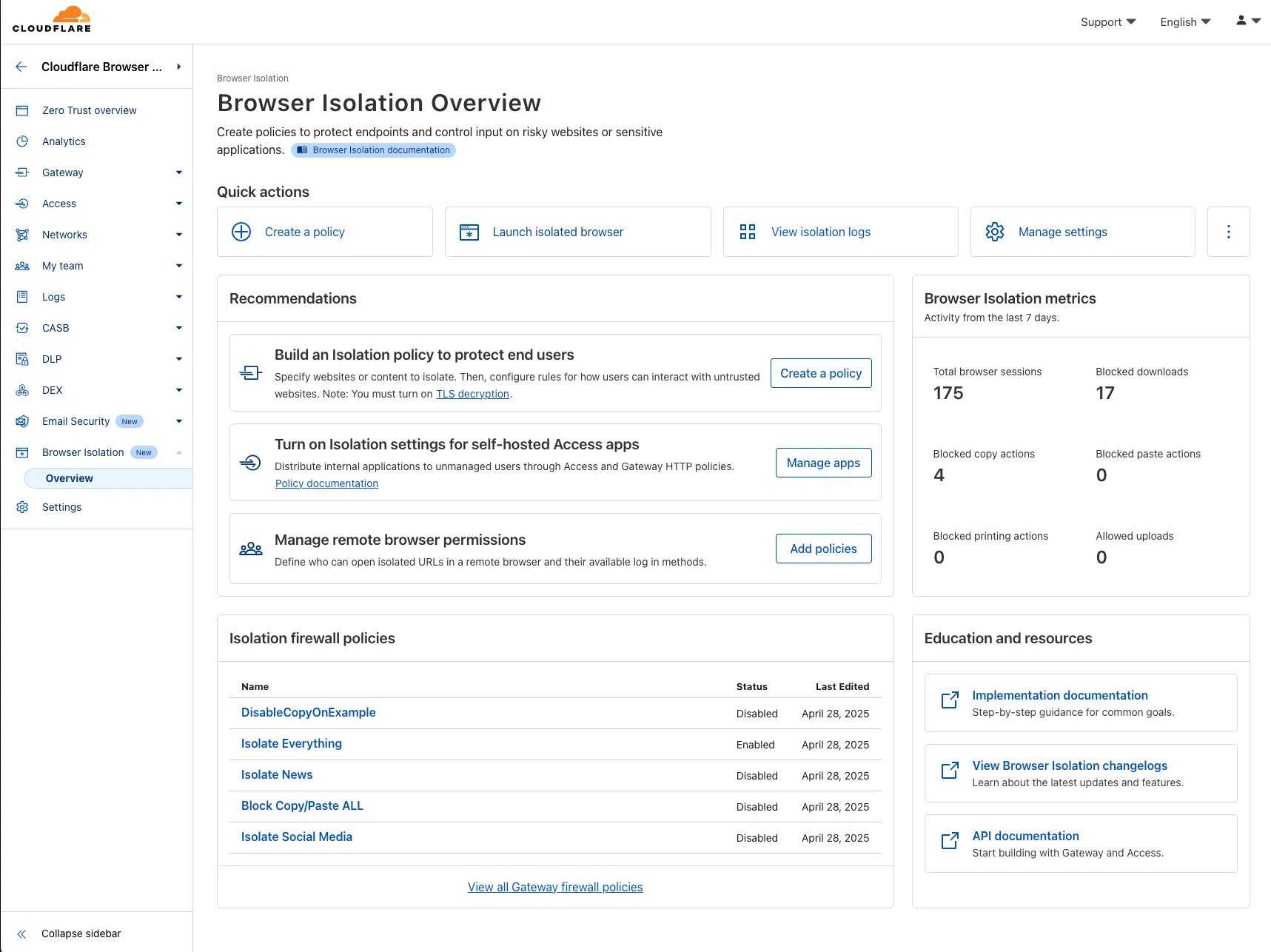
A new Browser Isolation Overview page is now available in the Cloudflare Zero Trust dashboard. This centralized view simplifies the management of Remote Browser Isolation (RBI) deployments, providing:
Streamlined Onboarding: Easily set up and manage isolation policies from one location.
Centralized Monitoring: Track aggregate usage and blocked actions.
This update consolidates previously disparate settings, accelerating deployment, improving visibility into isolation activity, and making it easier to ensure your protections are working effectively.
To access the new overview, log in to your Cloudflare Zero Trust dashboard ↗ and find Browser Isolation in the side navigation bar.
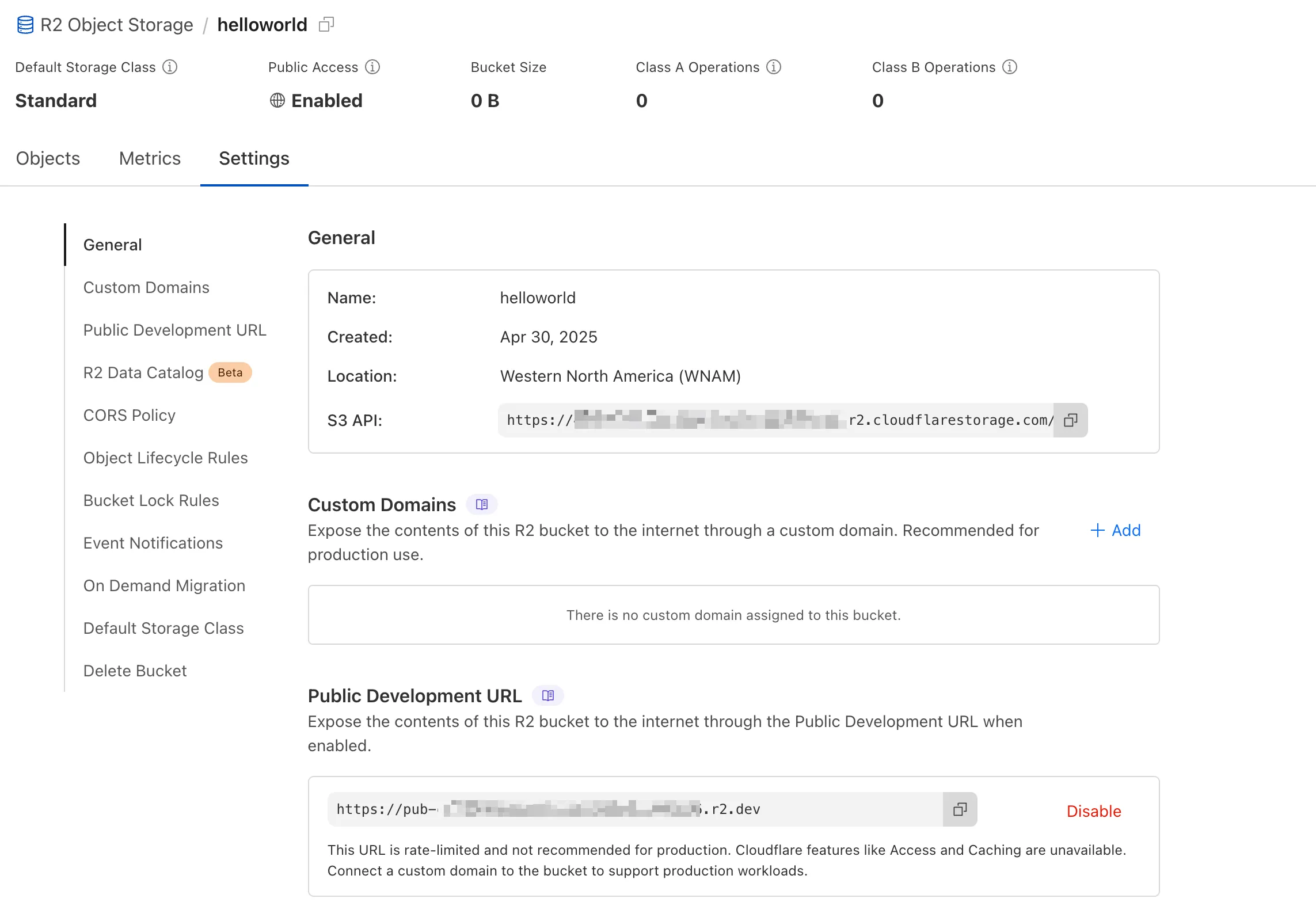
We're excited to announce several improvements to the Cloudflare R2 dashboard experience that make managing your object storage easier and more intuitive:
All-new settings page
We've redesigned the bucket settings page, giving you a centralized location to manage all your bucket configurations in one place.
Improved navigation and sharing
Deeplink support for prefix directories: Navigate through your bucket hierarchy without losing your state. Your browser's back button now works as expected, and you can share direct links to specific prefix directories with teammates.
Objects as clickable links: Objects are now proper links that you can copy or CMD + Click to open in a new tab.
Clearer public access controls
Renamed "r2.dev domain" to "Public Development URL" for better clarity when exposing bucket contents for non-production workloads.
Public Access status now clearly displays "Enabled" when your bucket is exposed to the internet (via Public Development URL or Custom Domains).
We've also made numerous other usability improvements across the board to make your R2 experience smoother and more productive.
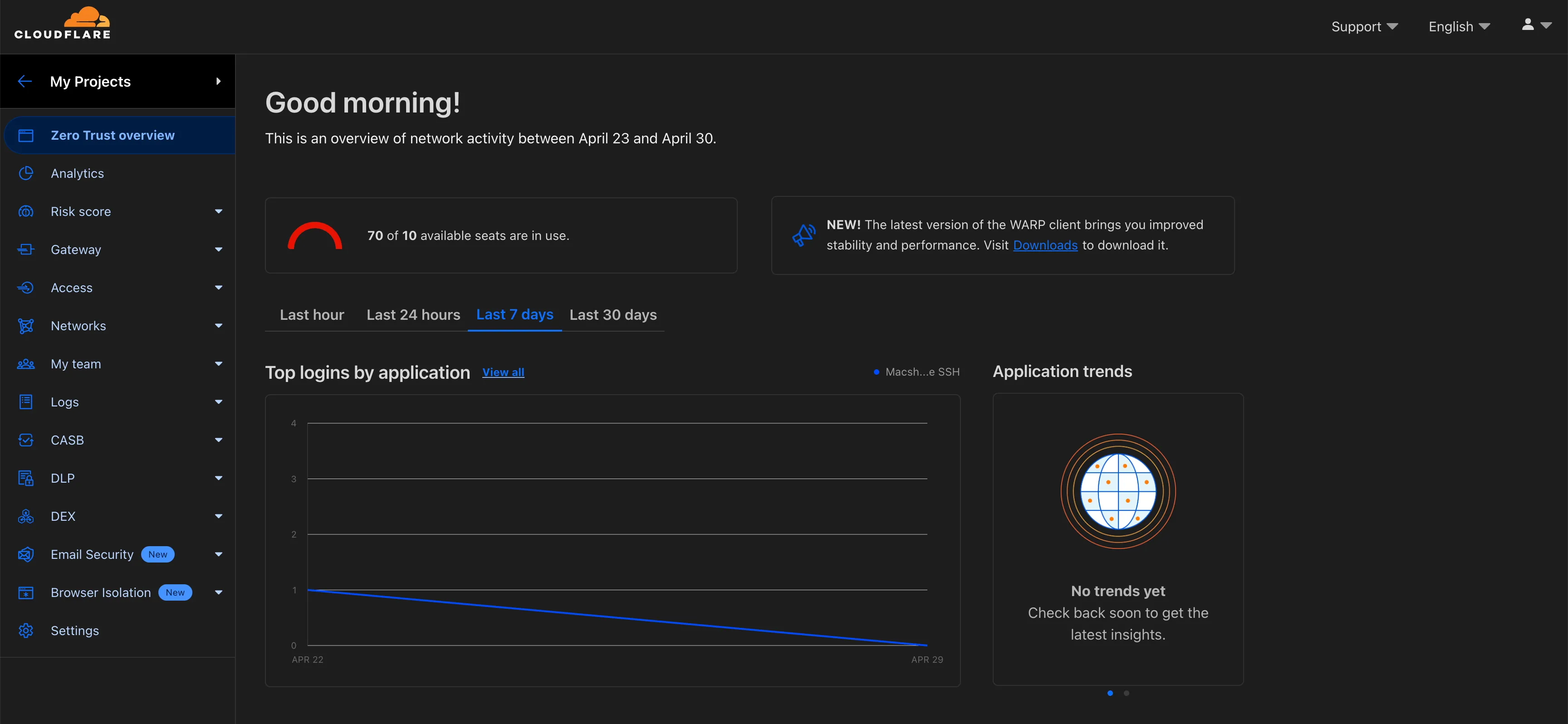
Zero Trust Dashboard will automatically accept your user-level preferences for system settings, so if your Dashboard appearance is set to 'system' or 'dark', the Zero Trust dashboard will enter dark mode whenever the rest of your Cloudflare account does.
To update your view preference in the Zero Trust dashboard:
Cloudflare One Appliance DHCP server settings now support specifying multiple DNS server IP addresses in the DHCP pool.
Previously, customers could only configure a single DNS server per DHCP pool. With this update, you can specify multiple DNS servers to provide redundancy for clients at branch locations.
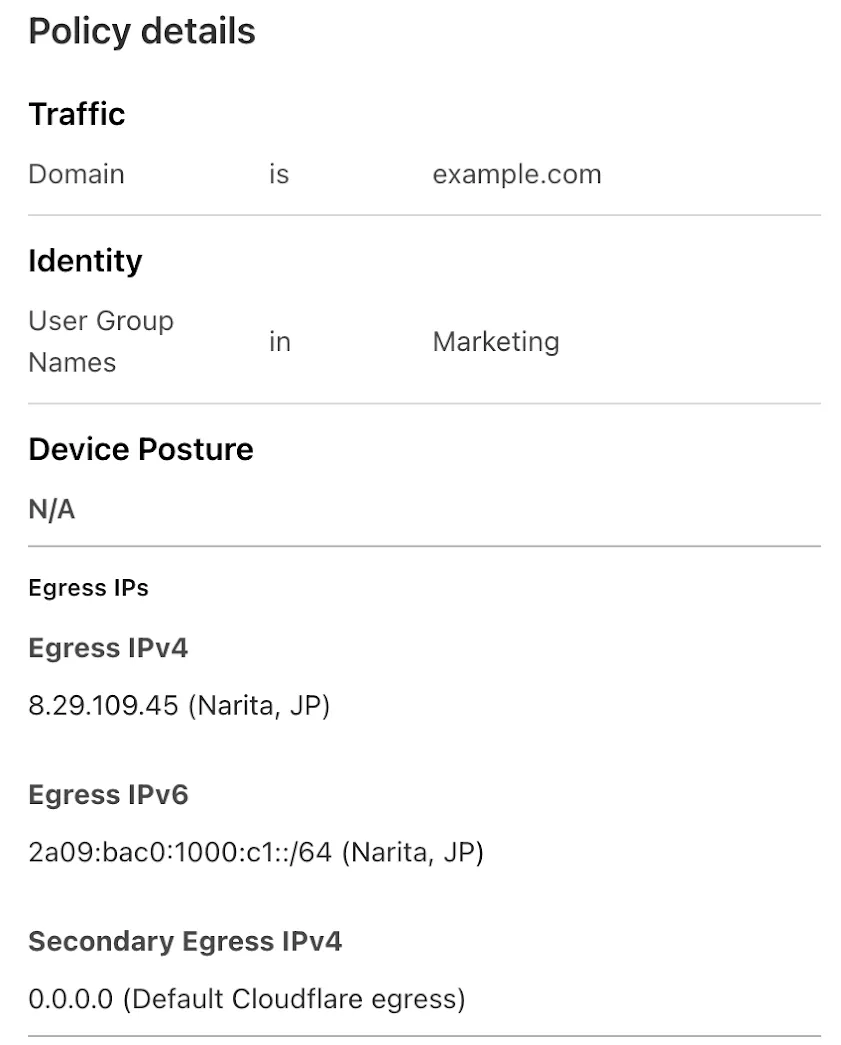
Cloudflare One administrators can now control which egress IP is used based on a destination's fully qualified domain name (FDQN) within Gateway Egress policies.
Host, Domain, Content Categories, and Application selectors are now available in the Gateway Egress policy builder in beta.
During the beta period, you can use these selectors with traffic on-ramped to Gateway with the WARP client, proxy endpoints (commonly deployed with PAC files), or Cloudflare Browser Isolation.
This will help apply egress IPs to your users' traffic when an upstream application or network requires it, while the rest of their traffic can take the most performant egress path.
Custom Errors are now generally available for all paid plans — bringing a unified and powerful experience for customizing error responses at both the zone and account levels.
You can now manage Custom Error Rules, Custom Error Assets, and redesigned Error Pages directly from the Cloudflare dashboard. These features let you deliver tailored messaging when errors occur, helping you maintain brand consistency and improve user experience — whether it’s a 404 from your origin or a security challenge from Cloudflare.
What's new:
Custom Errors are now GA – Available on all paid plans and ready for production traffic.
UI for Custom Error Rules and Assets – Manage your zone-level rules from the Rules > Overview and your zone-level assets from the Rules > Settings tabs.
Define inline content or upload assets – Create custom responses directly in the rule builder, upload new or reuse previously stored assets.
Refreshed UI and new name for Error Pages – Formerly known as “Custom Pages,” Error Pages now offer a cleaner, more intuitive experience for both zone and account-level configurations.
Powered by Ruleset Engine – Custom Error Rules support conditional logic and override Error Pages for 500 and 1000 class errors, as well as errors originating from your origin or other Cloudflare products. You can also configure Response Header Transform Rules to add, change, or remove HTTP headers from responses returned by Custom Error Rules.
You can now create Python Workers which are executed via a cron trigger.
This is similar to how it's done in JavaScript Workers, simply define a scheduled event
listener in your Worker:
from workers import handler@handlerasync def on_scheduled(event, env, ctx): print("cron processed")
Define a cron trigger configuration in your Wrangler configuration file:
{ "triggers": { // Schedule cron triggers: // - At every 3rd minute // - At 15:00 (UTC) on first day of the month // - At 23:59 (UTC) on the last weekday of the month "crons": [ "*/3 * * * *", "0 15 1 * *", "59 23 LW * *" ] }}
You can now filter AutoRAG search results by folder and timestamp using metadata filtering to narrow down the scope of your query.
This makes it easy to build multitenant experiences where each user can only access their own data. By organizing your content into per-tenant folders and applying a folder filter at query time, you ensure that each tenant retrieves only their own documents.
const response = await env.AI.autorag("my-autorag").search({ query: "When did I sign my agreement contract?", filters: { type: "eq", key: "folder", value: "customer-a/contracts/", },});
You can use metadata filtering by creating a new AutoRAG or reindexing existing data. To reindex all content in an existing AutoRAG, update any chunking setting and select Sync index. Metadata filtering is available for all data indexed on or after April 21, 2025.
Each of this week's rule releases covers a distinct CVE, with half of the rules targeting Remote Code Execution (RCE) attacks. Of the 6 CVEs covered, four were scored as critical, with the other two scored as high.
When deciding which exploits to tackle, Cloudflare tunes into the attackers' areas of focus. Cloudflare's network intelligence provides a unique lens into attacker activity – for instance, through the volume of blocked requests related with CVE exploits after updating WAF Managed Rules with new detections.
From this week's releases, one indicator that RCE is a "hot topic" attack type is the fact that the Oracle PeopleSoft RCE rule accounts for half of all of the new rule matches. This rule patches CVE-2023-22047, a high-severity vulnerability in the Oracle PeopleSoft suite that allows unauthenticated attackers to access PeopleSoft Enterprise PeopleTools data through remote code execution. This is particularly concerning because of the nature of the data managed by PeopleSoft – this can include payroll records or student profile information. This CVE, along with five others, are addressed with the latest detection update to WAF Managed Rules.
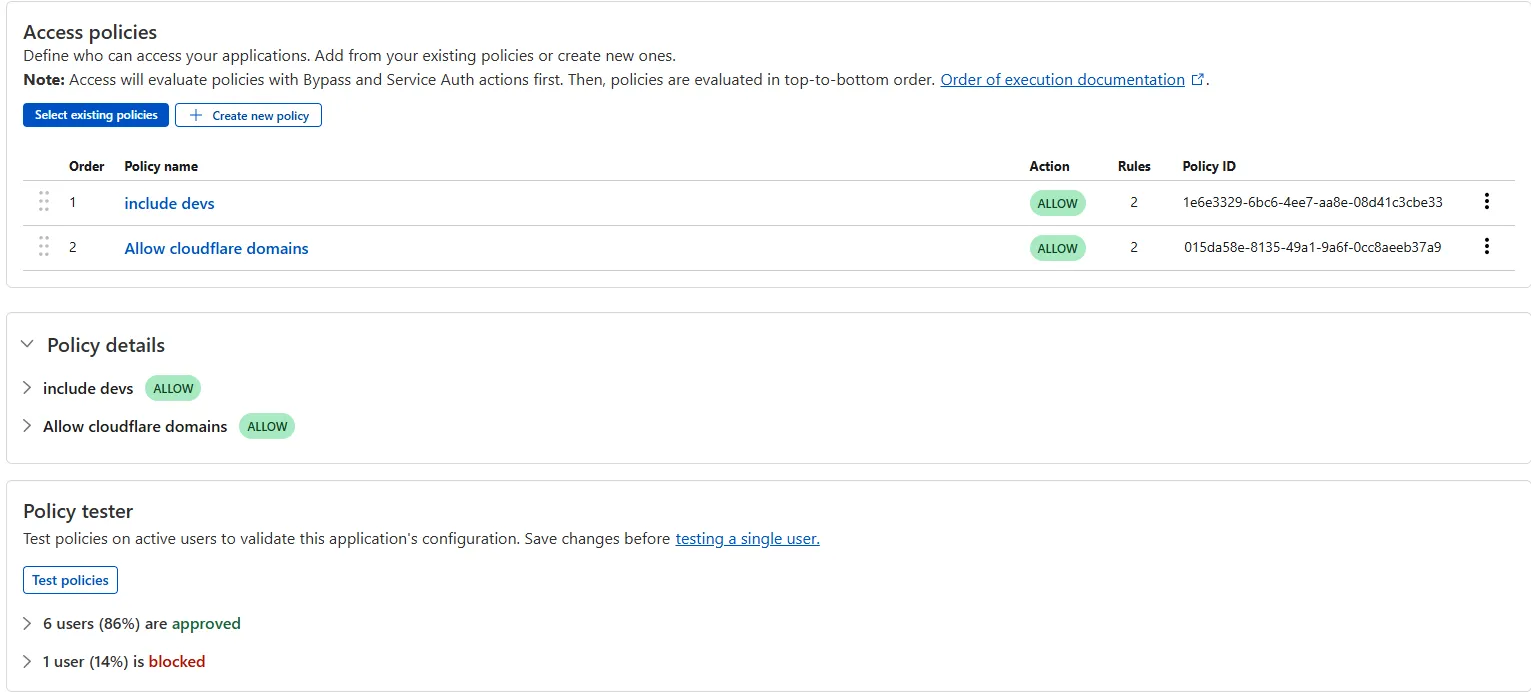
The Access bulk policy tester is now available in the Cloudflare Zero Trust dashboard. The bulk policy tester allows you to simulate Access policies against your entire user base before and after deploying any changes. The policy tester will simulate the configured policy against each user's last seen identity and device posture (if applicable).
Custom Fields now support logging both raw and transformed values for request and response headers in the HTTP requests dataset.
These fields are configured per zone and apply to all Logpush jobs in that zone that include request headers, response headers. Each header can be logged in only one format—either raw or transformed—not both.
By default:
Request headers are logged as raw values
Response headers are logged as transformed values
These defaults can be overridden to suit your logging needs.
For more information refer to Custom fields documentation
Queues pull consumers can now pull and acknowledge up to 5,000 messages / second per queue. Previously, pull consumers were rate limited to 1,200 requests / 5 minutes, aggregated across all queues.
Pull consumers allow you to consume messages over HTTP from any environment—including outside of Cloudflare Workers. They’re also useful when you need fine-grained control over how quickly messages are consumed.
To setup a new queue with a pull based consumer using Wrangler, run:
You can also configure a pull consumer using the REST API or the Queues dashboard.
Once configured, you can pull messages from the queue using any HTTP client. You'll need a Cloudflare API Token with queues_read and queues_write permissions. For example:
To learn more about how to acknowledge messages, pull batches at once, and setup multiple consumers, refer to the pull consumer documentation.
As always, Queues doesn't charge for data egress. Pull operations continue to be billed at the existing rate, of $0.40 / million operations. The increased limits are available now, on all new and existing queues. If you're new to Queues, get started with the Cloudflare Queues guide.
You can now retrieve up to 100 keys in a single bulk read request made to Workers KV using the binding.
This makes it easier to request multiple KV pairs within a single Worker invocation. Retrieving many key-value pairs using the bulk read operation is more performant than making individual requests since bulk read operations are not affected by Workers simultaneous connection limits.
// Read single keyconst key = "key-a";const value = await env.NAMESPACE.get(key);// Read multiple keysconst keys = ["key-a", "key-b", "key-c", ...] // up to 100 keysconst values : Map<string, string?> = await env.NAMESPACE.get(keys);// Print the value of "key-a" to the console.console.log(`The first key is ${values.get("key-a")}.`)
This beta supports a subset of popular extensions available through Cloudflare Registrar. Search returns suggestions across API-supported extensions, check confirms current availability and pricing, and registration starts a workflow that can complete immediately or be polled if it takes longer.
Because the Registrar API is part of the Cloudflare API, it can also be used in Cloudflare MCP ↗ and other agent-driven workflows.
If you are using Cloudflare MCP or other agent-driven workflows, prompts can be as simple as:
Search for domain ideas for a coffee shop based in Evergreen, Colorado.
Check whether example.com is available and show me the current price.
Register example.com
For supported operations, extension availability, and workflow details, refer to:
Previously, a request to the Workers Create Route API always returned null for "script" and an empty string for "pattern" even if the request was successful.
The Workers and Workers for Platforms secrets APIs are now properly documented in the Cloudflare OpenAPI docs. Previously, these endpoints were not publicly documented, leaving users confused on how to directly manage their secrets via the API. Now, you can find the proper endpoints in our public documentation, as well as in our API Library SDKs such as cloudflare-typescript ↗ (>4.2.0) and cloudflare-python ↗ (>4.1.0).
Note the cloudflare_workers_secret and cloudflare_workers_for_platforms_script_secretTerraform resources ↗ are being removed in a future release. This resource is not recommended for managing secrets. Users should instead use the:
Secrets Store with the "Secrets Store Secret" binding on Workers and Workers for Platforms Script Upload
You can now use more flexible redirect capabilities in Cloudflare One with Gateway.
A new Redirect action is available in the HTTP policy builder, allowing admins to redirect users to any URL when their request matches a policy. You can choose to preserve the original URL and query string, and optionally include policy context via query parameters.
For Block actions, admins can now configure a custom URL to display when access is denied. This block page redirect is set at the account level and can be overridden in DNS or HTTP policies. Policy context can also be passed along in the URL.
Cloudflare Stream has completed an infrastructure upgrade for our Live WebRTC beta support which brings increased scalability and improved playback performance to all customers. WebRTC allows broadcasting directly from a browser (or supported WHIP client) with ultra-low latency to tens of thousands of concurrent viewers across the globe.
Additionally, as part of this upgrade, the WebRTC beta now supports Signed URLs to protect playback, just like our standard live stream options (HLS/DASH).