

View a visual representation of your parsed Workflow code as a diagram on the Cloudflare dashboard.
The diagram illustrates your sequenced & parallel steps, conditionals, loops, and nested logic. To see the Workflow at a high level, view the diagram with loops and conditionals collapsed, or expand for a more detailed view.
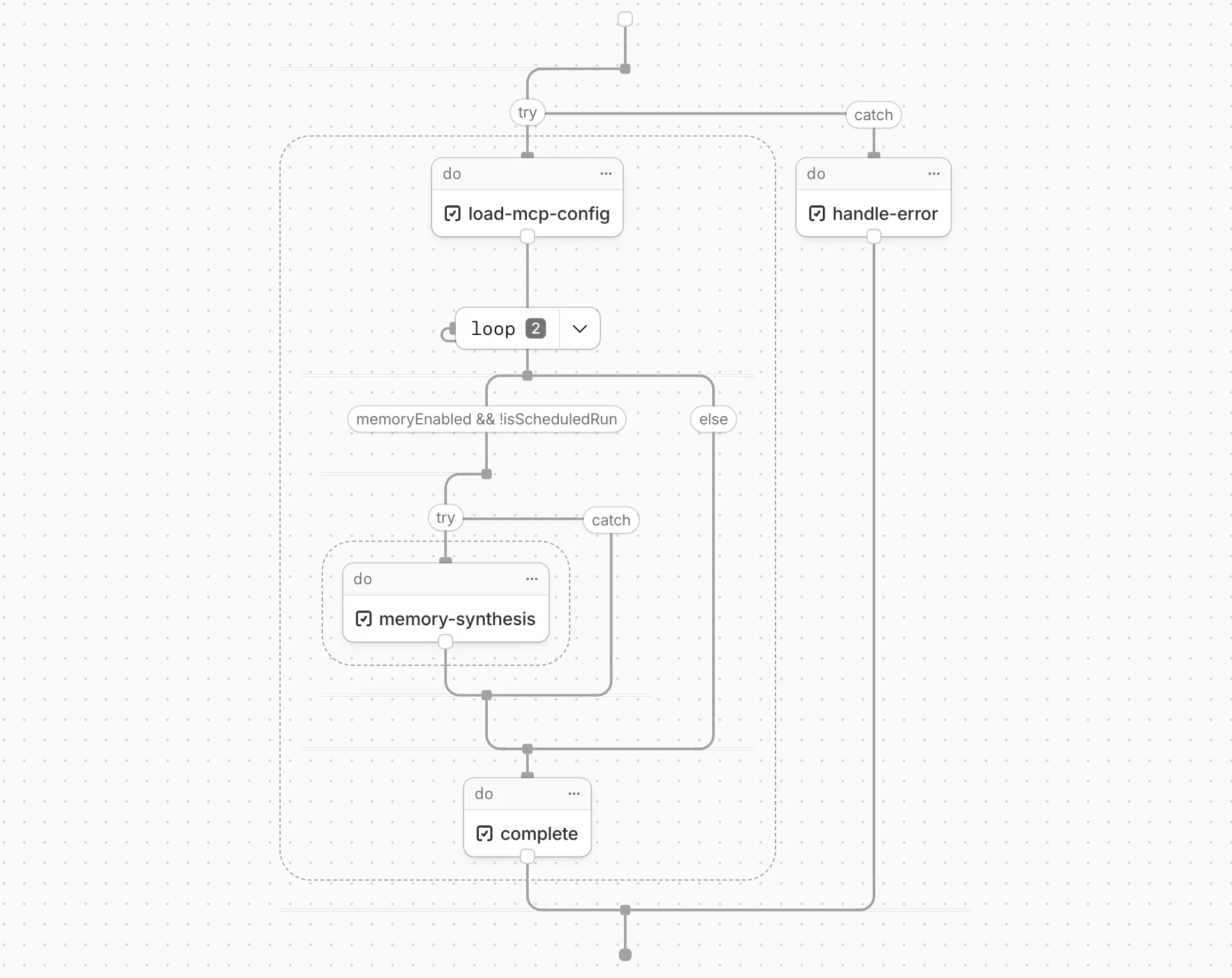
Workflow diagrams are currently in beta for all Typescript and Javascript Workers. View your Workflows in the Cloudflare dashboard ↗ to see their diagrams.
The diagrams consist of the following node types:
| Node type | Description |
|---|---|
StepSleep |
Pauses Workflow execution for a specified duration. |
StepDo |
Represents a named, retriable step that wraps a unit of work. |
StepWaitForEvent |
Suspends execution until an external event is received. |
StepSleepUntil |
Pauses Workflow execution until a specific date and time. |
LoopNode |
Represents a loop construct (for, while, etc.) that repeats a block of logic. |
ParallelNode |
Groups steps that execute concurrently, such as those inside Promise.all(). |
TryNode |
Represents a try...catch block that handles errors within a Workflow. |
BlockNode |
Groups a sequence of steps into a logical block for display purposes. |
IfNode |
Represents a conditional branch based on an if/else expression. |
SwitchNode |
Represents a switch statement that routes execution across multiple cases. |
StartNode |
Marks the entry point of the Workflow or a function definition. |
FunctionCall |
Represents a call to a named function within the Workflow code. |
FunctionDef |
Represents the definition of a function used within the Workflow. |
BreakNode |
Represents a break statement that exits a loop early. |
Each node has a starts and resolves field that tracks execution order. These indices indicate when a promise began executing and when it ended, relative to the first promise that started without an immediate conclusion. This corresponds to vertical positioning in the diagram (i.e. all steps with starts: 1 will appear inline).
When parsing, unawaited promises or Promise.all() calls are assigned an entry number stored in the starts field. When an await is encountered for that promise, the entry number is incremented and saved as the exit number in the resolves field. This allows the diagram to determine which promises run concurrently and when each will complete relative to the others.
If steps are awaited at the point of declaration, starts and resolves will be undefined, and the Workflow executes in the order the steps appear to the runtime.