Customers using Cloudflare Network Interconnect with the v1 dataplane can now subscribe to maintenance alert emails. These alerts notify you of planned maintenance windows that may affect your CNI circuits.
Custom Errors can now fetch and store assets and error pages from your origin even if they are served with a 4xx or 5xx HTTP status code — previously, only 200 OK responses were allowed.
What’s new:
You can now upload error pages and error assets that return error status codes (for example, 403, 500, 502, 503, 504) when fetched.
These assets are stored and minified at the edge, so they can be reused across multiple Custom Error rules without triggering requests to the origin.
This is especially useful for retrieving error content or downtime banners from your backend when you can’t override the origin status code.
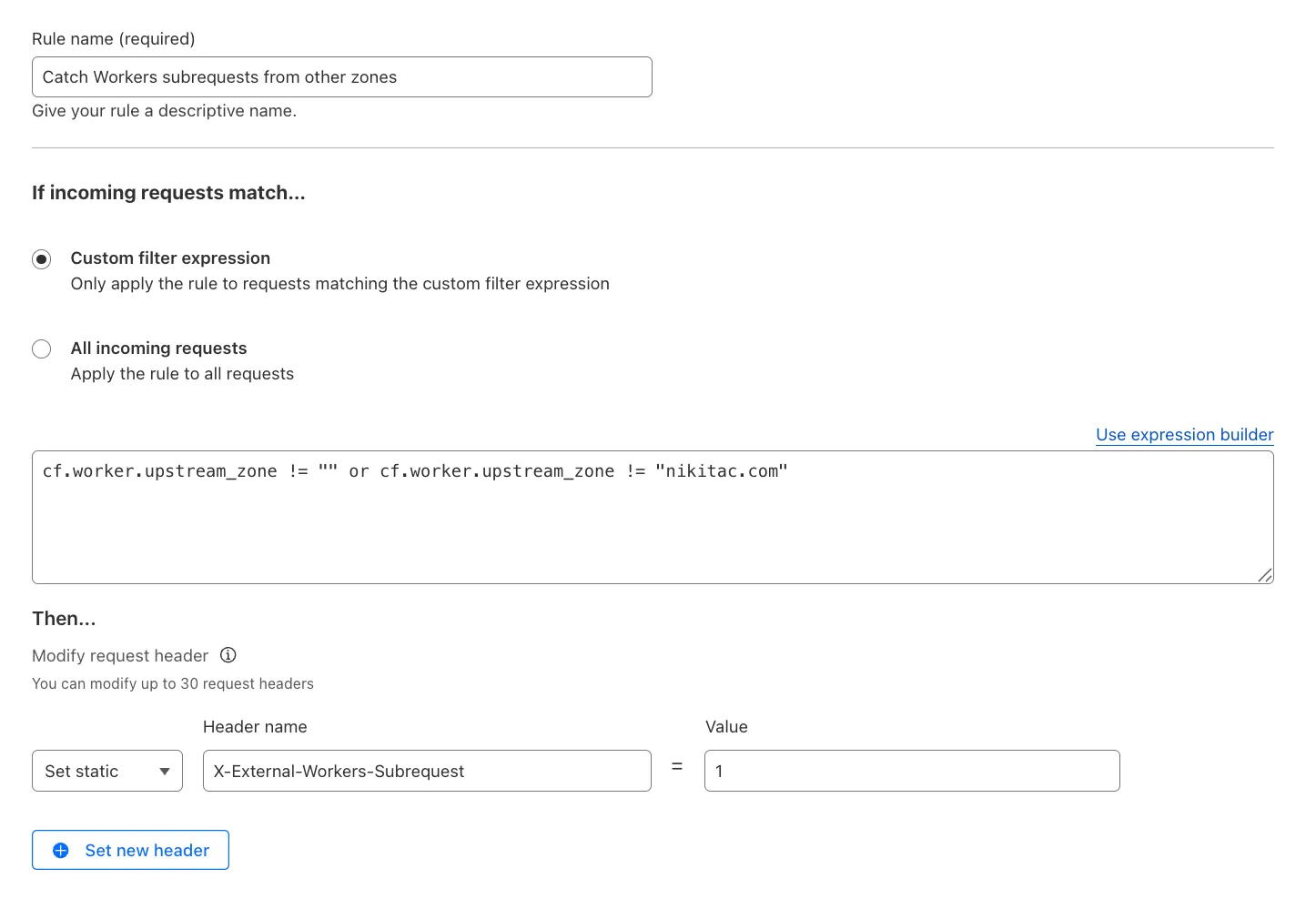
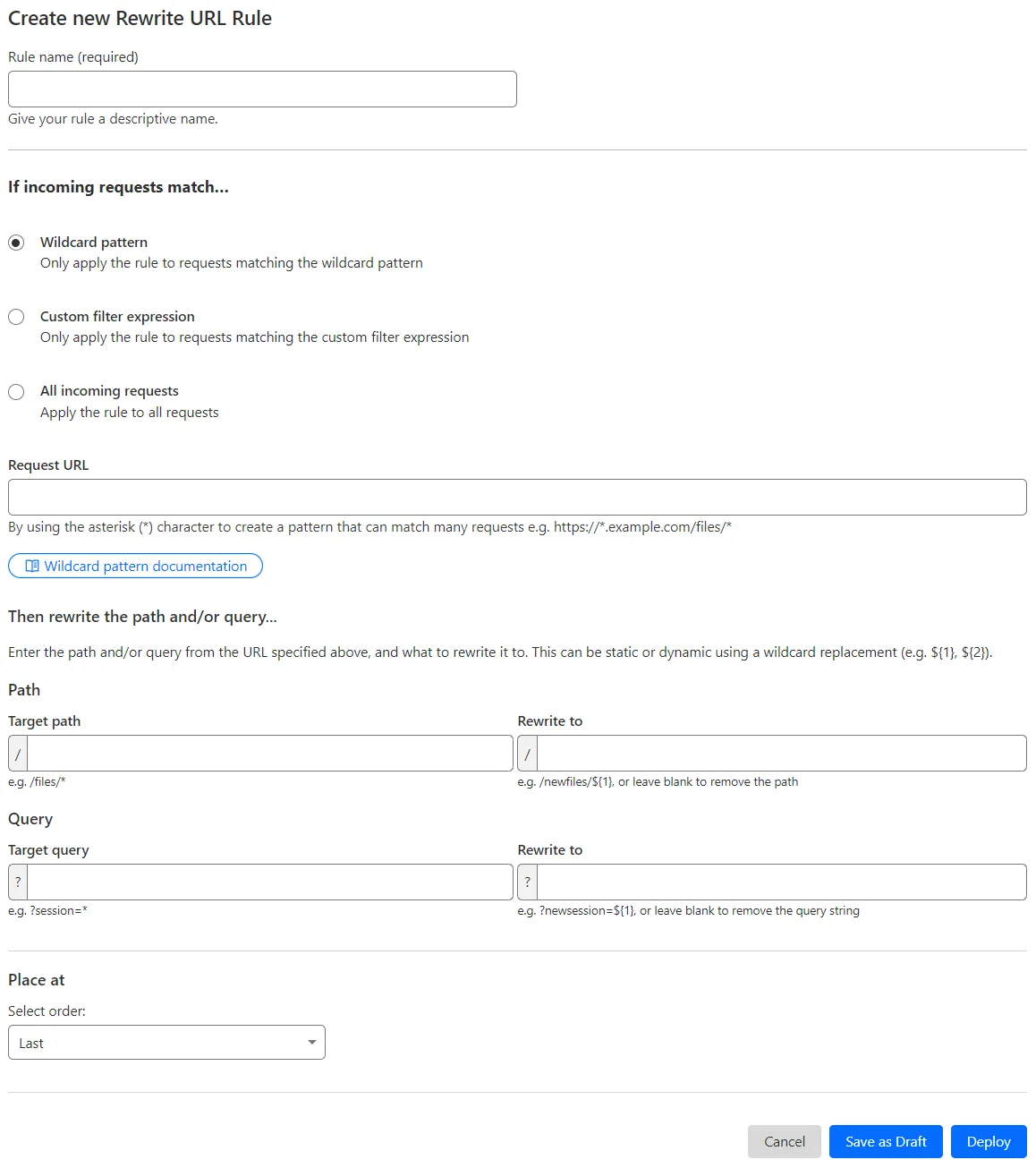
You can now use the cf.worker.upstream_zone field in Transform Rules to control rule execution based on whether a request originates from Workers, including subrequests issued by Workers in other zones.
What's new:
cf.worker.upstream_zone is now supported in Transform Rules expressions.
You can now enable Polish with the webp format directly in Configuration Rules, allowing you to optimize image delivery for specific routes, user agents, or A/B tests — without applying changes zone-wide.
What’s new:
WebP is now a supported value in the Polish setting for Configuration Rules.
This gives you more precise control over how images are compressed and delivered, whether you're targeting modern browsers, running experiments, or tailoring performance by geography or device type.
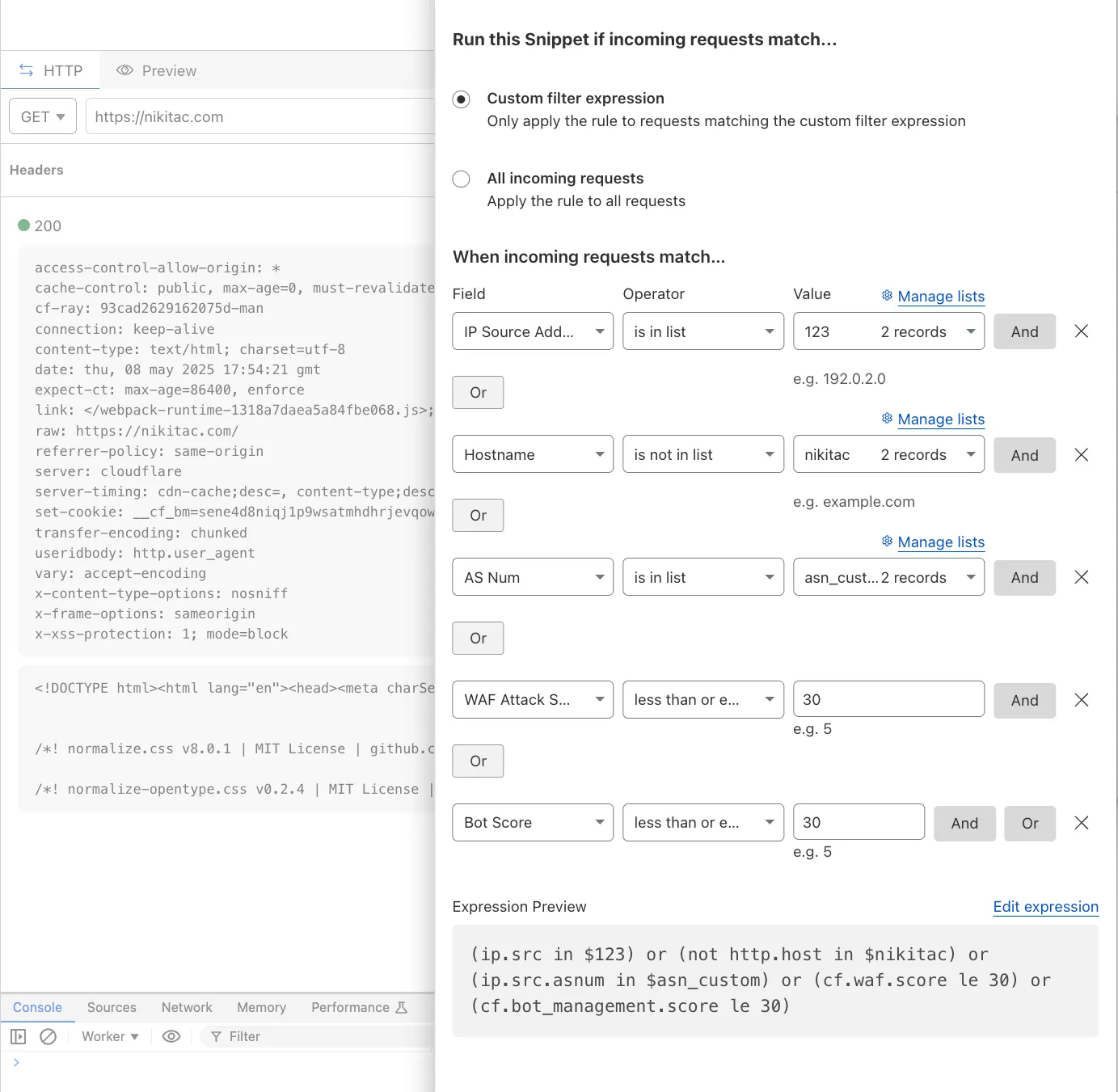
You can now use IP, Autonomous System (AS), and Hostname custom lists to route traffic to Snippets and Cloud Connector, giving you greater precision and control over how you match and process requests at the edge.
In Snippets, you can now also match on Bot Score and WAF Attack Score, unlocking smarter edge logic for everything from request filtering and mitigation to tarpitting and logging.
What’s new:
Custom lists matching – Snippets and Cloud Connector now support user-created IP, AS, and Hostname lists via dashboard or Lists API. Great for shared logic across zones.
Bot Score and WAF Attack Score – Use Cloudflare’s intelligent traffic signals to detect bots or attacks and take advanced, tailored actions with just a few lines of code.
These enhancements unlock new possibilities for building smarter traffic workflows with minimal code and maximum efficiency.
Cloudflare One Appliance DHCP server settings now support specifying multiple DNS server IP addresses in the DHCP pool.
Previously, customers could only configure a single DNS server per DHCP pool. With this update, you can specify multiple DNS servers to provide redundancy for clients at branch locations.
Custom Errors are now generally available for all paid plans — bringing a unified and powerful experience for customizing error responses at both the zone and account levels.
You can now manage Custom Error Rules, Custom Error Assets, and redesigned Error Pages directly from the Cloudflare dashboard. These features let you deliver tailored messaging when errors occur, helping you maintain brand consistency and improve user experience — whether it’s a 404 from your origin or a security challenge from Cloudflare.
What's new:
Custom Errors are now GA – Available on all paid plans and ready for production traffic.
UI for Custom Error Rules and Assets – Manage your zone-level rules from the Rules > Overview and your zone-level assets from the Rules > Settings tabs.
Define inline content or upload assets – Create custom responses directly in the rule builder, upload new or reuse previously stored assets.
Refreshed UI and new name for Error Pages – Formerly known as “Custom Pages,” Error Pages now offer a cleaner, more intuitive experience for both zone and account-level configurations.
Powered by Ruleset Engine – Custom Error Rules support conditional logic and override Error Pages for 500 and 1000 class errors, as well as errors originating from your origin or other Cloudflare products. You can also configure Response Header Transform Rules to add, change, or remove HTTP headers from responses returned by Custom Error Rules.
Cloudflare Snippets are now generally available at no extra cost across all paid plans — giving you a fast, flexible way to programmatically control HTTP traffic using lightweight JavaScript.
You can now use Snippets to modify HTTP requests and responses with confidence, reliability, and scale. Snippets are production-ready and deeply integrated with Cloudflare Rules, making them ideal for everything from quick dynamic header rewrites to advanced routing logic.
What's new:
Snippets are now GA – Available at no extra cost on all Pro, Business, and Enterprise plans.
Ready for production – Snippets deliver a production-grade experience built for scale.
Part of the Cloudflare Rules platform – Snippets inherit request modifications from other Cloudflare products and support sequential execution, allowing you to run multiple Snippets on the same request and apply custom modifications step by step.

Trace integration – Use Cloudflare Trace to see which Snippets were triggered on a request — helping you understand traffic flow and debug more effectively.
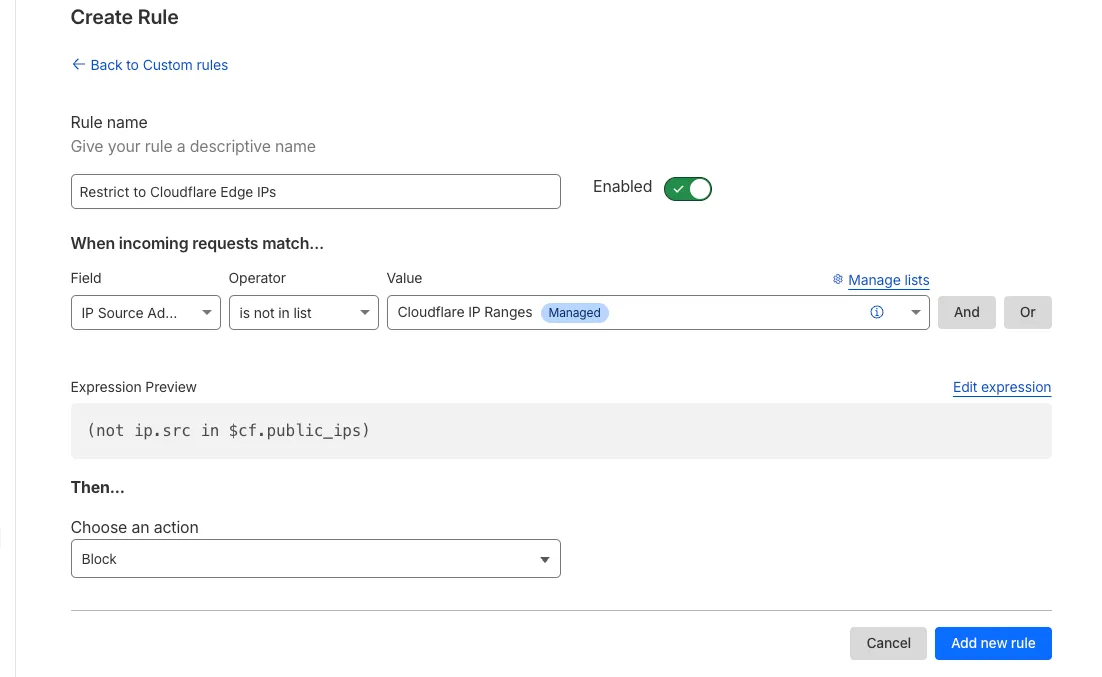
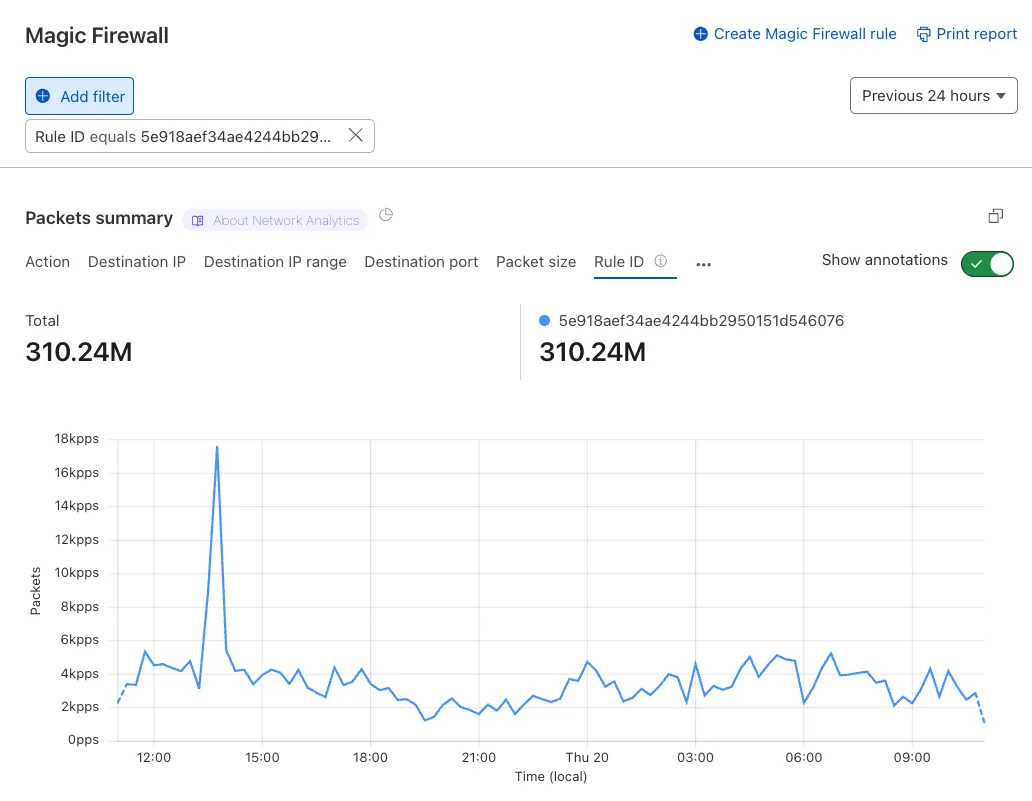
Magic Firewall now supports a new managed list of Cloudflare IP ranges. This list is available as an option when creating a Magic Firewall policy based on IP source/destination addresses. When selecting "is in list" or "is not in list", the option "Cloudflare IP Ranges" will appear in the dropdown menu.
This list is based on the IPs listed in the Cloudflare IP ranges ↗.
Updates to this managed list are applied automatically.
Note: IP Lists require a Cloudflare Advanced Network Firewall subscription. For more details about Cloudflare Network Firewall plans, refer to Plans.
You can now locally configure your Magic WAN Connector to work in a static IP configuration.
This local method does not require having access to a DHCP Internet connection. However, it does require being comfortable with using tools to access the serial port on Magic WAN Connector as well as using a serial terminal client to access the Connector's environment.
We're introducing Custom Errors (beta), which builds on our existing Custom Error Responses feature with new asset storage capabilities.
This update allows you to store externally hosted error pages on Cloudflare and reference them in custom error rules, eliminating the need to supply inline content.
This brings the following new capabilities:
Custom error assets – Fetch and store external error pages at the edge for use in error responses.
Account-Level custom errors – Define error handling rules and assets at the account level for consistency across multiple zones. Zone-level rules take precedence over account-level ones, and assets are not shared between levels.
You can use Cloudflare API to upload your existing assets for use with Custom Errors:
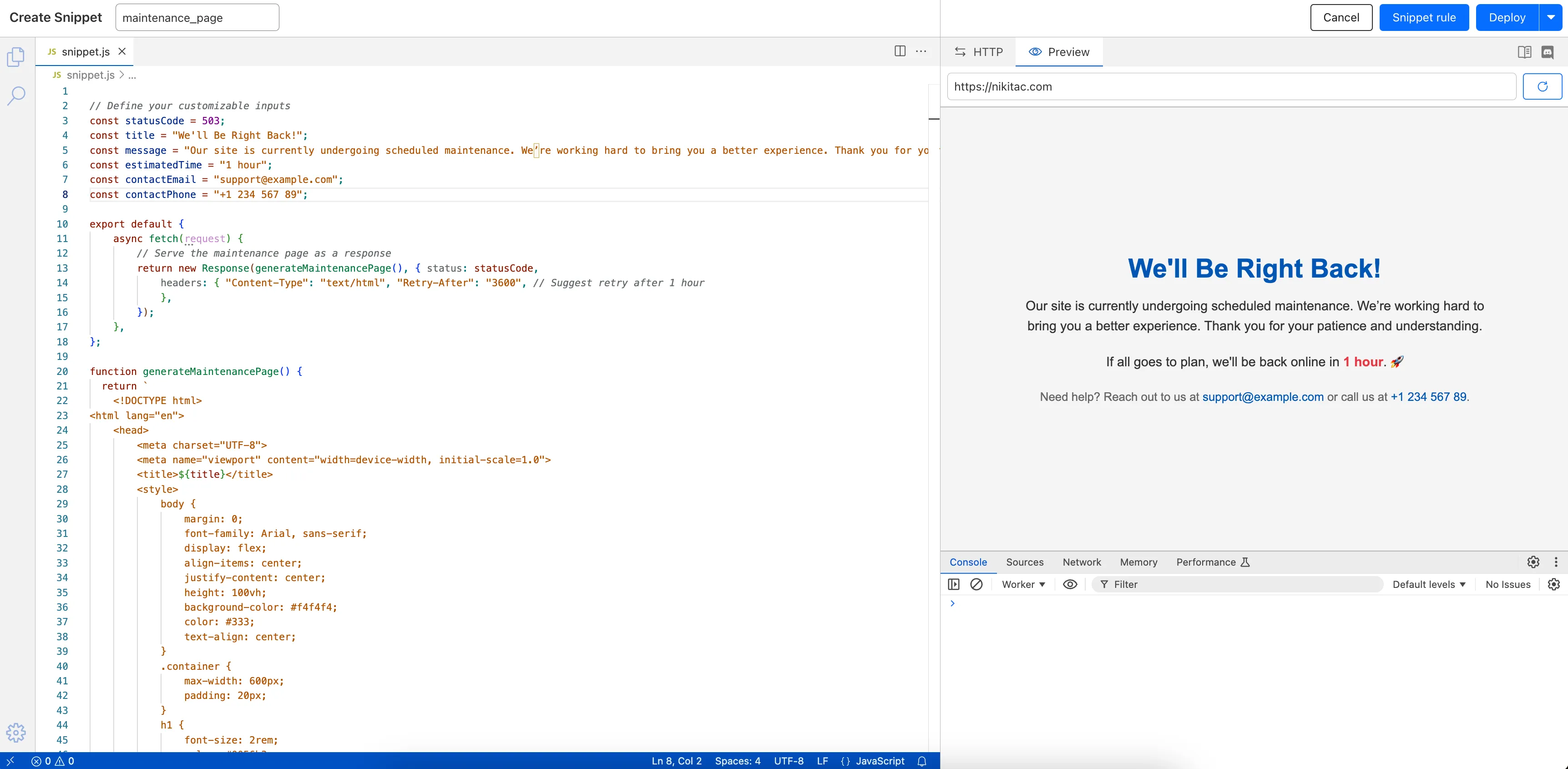
The new Snippets code editor lets you edit Snippet code and rule in one place, making it easier to test and deploy changes without switching between pages.
What’s new:
Single-page editing for code and rule – No need to jump between screens.
Auto-complete & syntax highlighting – Get suggestions and avoid mistakes.
Code formatting & refactoring – Write cleaner, more readable code.
Magic WAN and Magic Transit customers can use the Cloudflare dashboard to configure and manage BGP peering between their networks and their Magic routing table when using a Direct CNI on-ramp.
Using BGP peering allows customers to:
Automate the process of adding or removing networks and subnets.
Take advantage of failure detection and session recovery features.
With this functionality, customers can:
Establish an eBGP session between their devices and the Magic WAN / Magic Transit service when connected via CNI.
Secure the session by MD5 authentication to prevent misconfigurations.
Exchange routes dynamically between their devices and their Magic routing table.
Now, you can manage Cloudflare Snippets with Terraform. Use infrastructure-as-code to deploy and update Snippet code and rules without manual changes in the dashboard.
You can now generate customized terraform files for building cloud network on-ramps to Magic WAN.
Magic Cloud can scan and discover existing network resources and generate the required terraform files to automate cloud resource deployment using their existing infrastructure-as-code workflows for cloud automation.
You might want to do this to:
Review the proposed configuration for an on-ramp before deploying it with Cloudflare.
Deploy the on-ramp using your own infrastructure-as-code pipeline instead of deploying it with Cloudflare.