Pular para o conteúdo

Changelog

New updates and improvements at Cloudflare.

New Applications Added for DNS Filtering

You can now create DNS policies to manage outbound traffic for an expanded list of applications. This update adds support for 273 new applications, giving you more control over your organization's outbound traffic.

With this update, you can:

  • Create DNS policies for a wider range of applications
  • Manage outbound traffic more effectively
  • Improve your organization's security and compliance posture

For more information on creating DNS policies, see our DNS policy documentation.
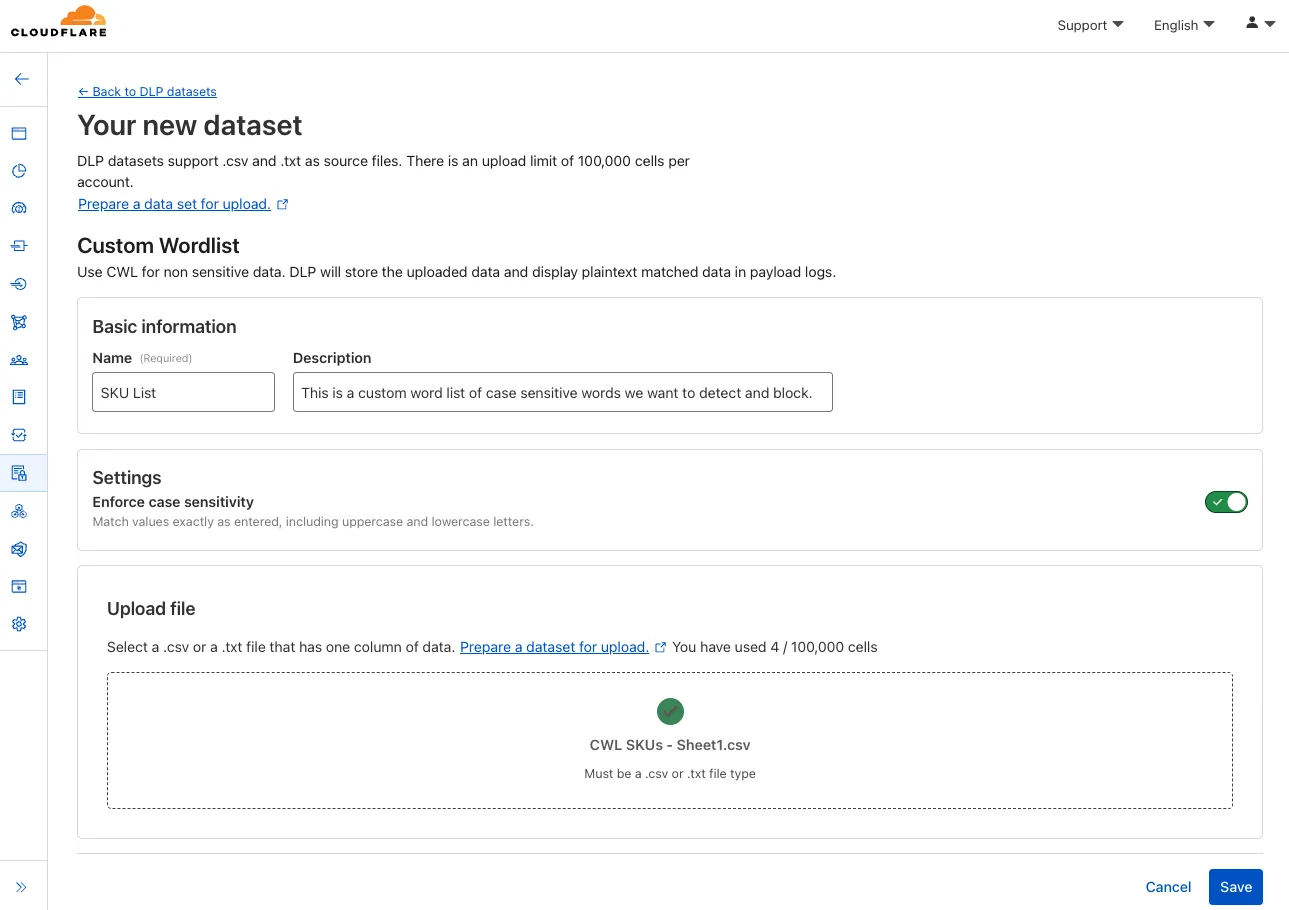
Open email links with Browser Isolation

You can now safely open links in emails to view and investigate them.

Open links with Browser Isolation

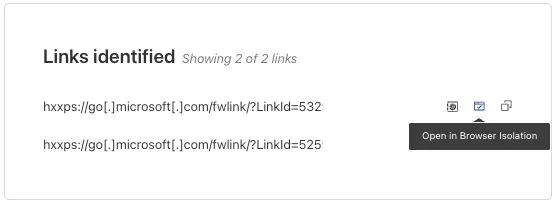
From Investigation, go to View details, and look for the Links identified section. Next to each link, the Cloudflare dashboard will display an Open in Browser Isolation icon which allows your team to safely open the link in a clientless, isolated browser with no risk to the analyst or your environment. Refer to Open links to learn more about this feature.

To use this feature, you must:

  • Turn on Allow users to open a remote browser without the device client in your Zero Trust settings.
  • Have Browser Isolation (RBI) seats assigned.

For more details, refer to our setup guide.

This feature is available across these Email security packages:

  • Advantage
  • Enterprise
  • Enterprise + PhishGuard

UDP and ICMP Monitor Support for Private Load Balancing Endpoints

Cloudflare Load Balancing now supports UDP (Layer 4) and ICMP (Layer 3) health monitors for private endpoints. This makes it simple to track the health and availability of internal services that don’t respond to HTTP, TCP, or other protocol probes.

What you can do:

  • Set up ICMP ping monitors to check if your private endpoints are reachable.
  • Use UDP monitors for lightweight health checks on non-TCP workloads, such as DNS, VoIP, or custom UDP-based services.
  • Gain better visibility and uptime guarantees for services running behind Private Network Load Balancing, without requiring public IP addresses.

This enhancement is ideal for internal applications that rely on low-level protocols, especially when used in conjunction with Cloudflare Tunnel, WARP, and Magic WAN to create a secure and observable private network.

Learn more about Private Network Load Balancing or view the full list of supported health monitor protocols.

Browser Isolation Overview page for Zero Trust

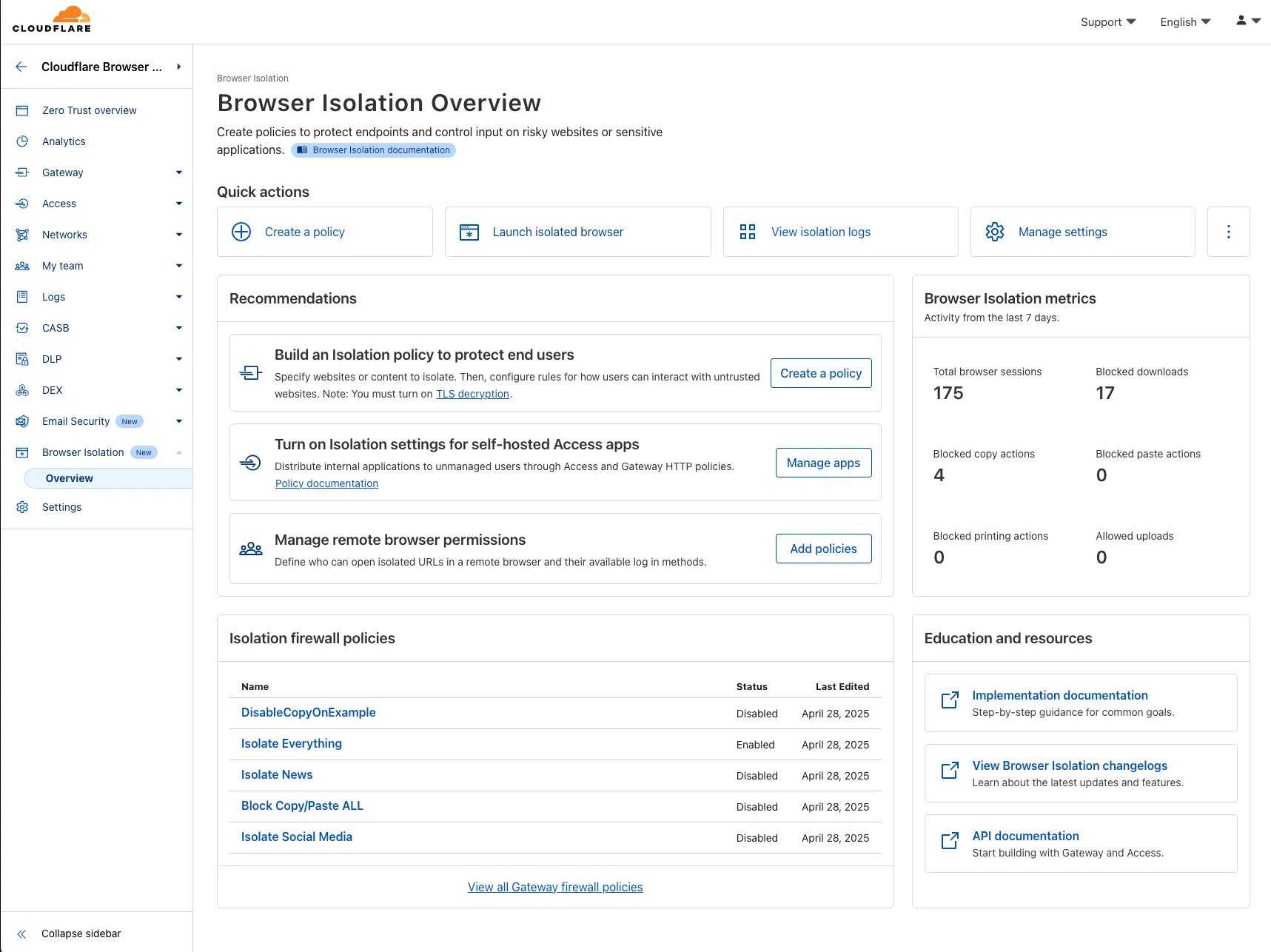
A new Browser Isolation Overview page is now available in the Cloudflare Zero Trust dashboard. This centralized view simplifies the management of Remote Browser Isolation (RBI) deployments, providing:

This update consolidates previously disparate settings, accelerating deployment, improving visibility into isolation activity, and making it easier to ensure your protections are working effectively.

Browser Isolation Overview

To access the new overview, log in to your Cloudflare Zero Trust dashboard and find Browser Isolation in the side navigation bar.

Dark Mode for Zero Trust Dashboard

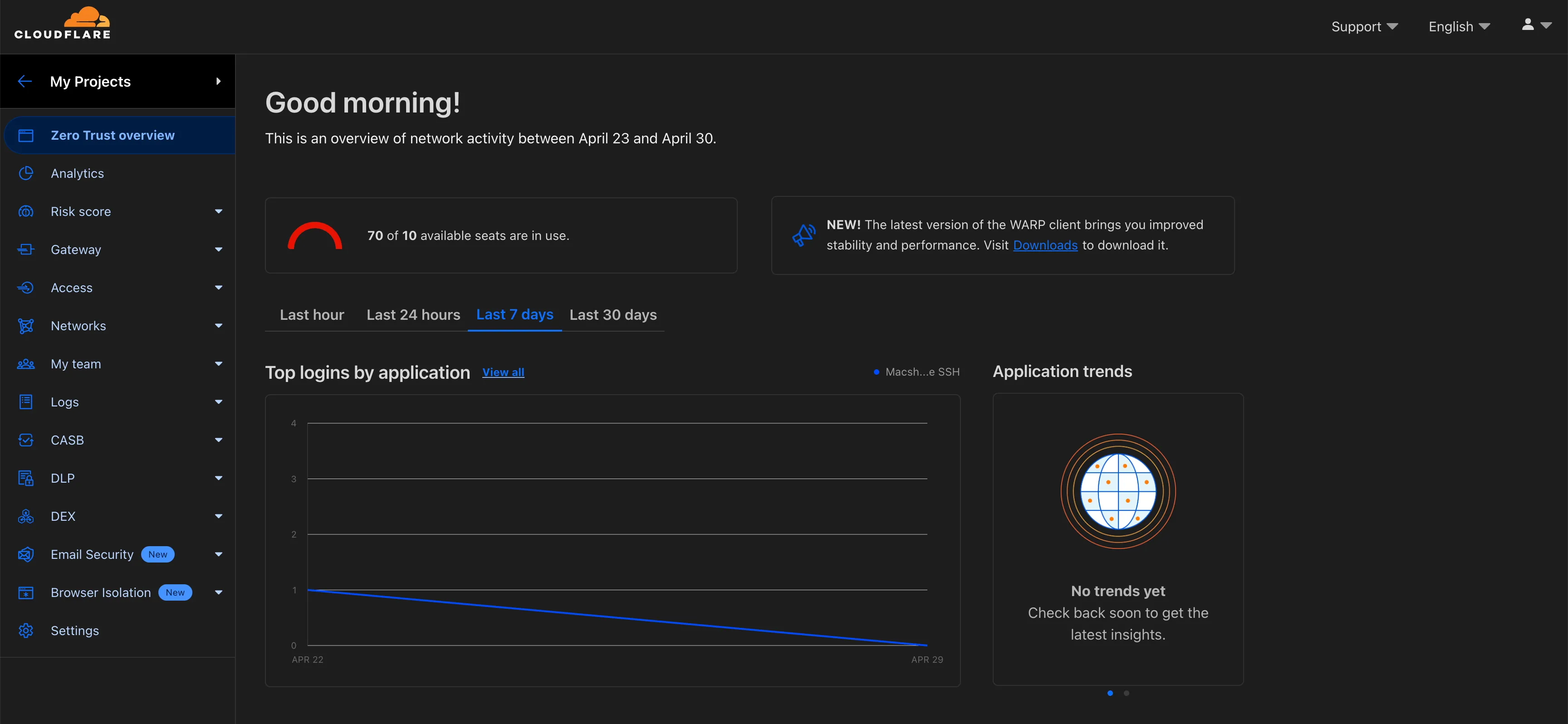
The Cloudflare Zero Trust dashboard now supports Cloudflare's native dark mode for all accounts and plan types.

Zero Trust Dashboard will automatically accept your user-level preferences for system settings, so if your Dashboard appearance is set to 'system' or 'dark', the Zero Trust dashboard will enter dark mode whenever the rest of your Cloudflare account does.

Zero Trust dashboard supports dark mode

To update your view preference in the Zero Trust dashboard:

  1. Log into the Zero Trust dashboard.
  2. Select your user icon.
  3. Select Dark Mode.

To update your view preference in the Core dashboard:

  1. Log into the Cloudflare dashboard.
  2. Go to My Profile
  3. For Appearance, choose Dark.

FQDN Filtering For Gateway Egress Policies

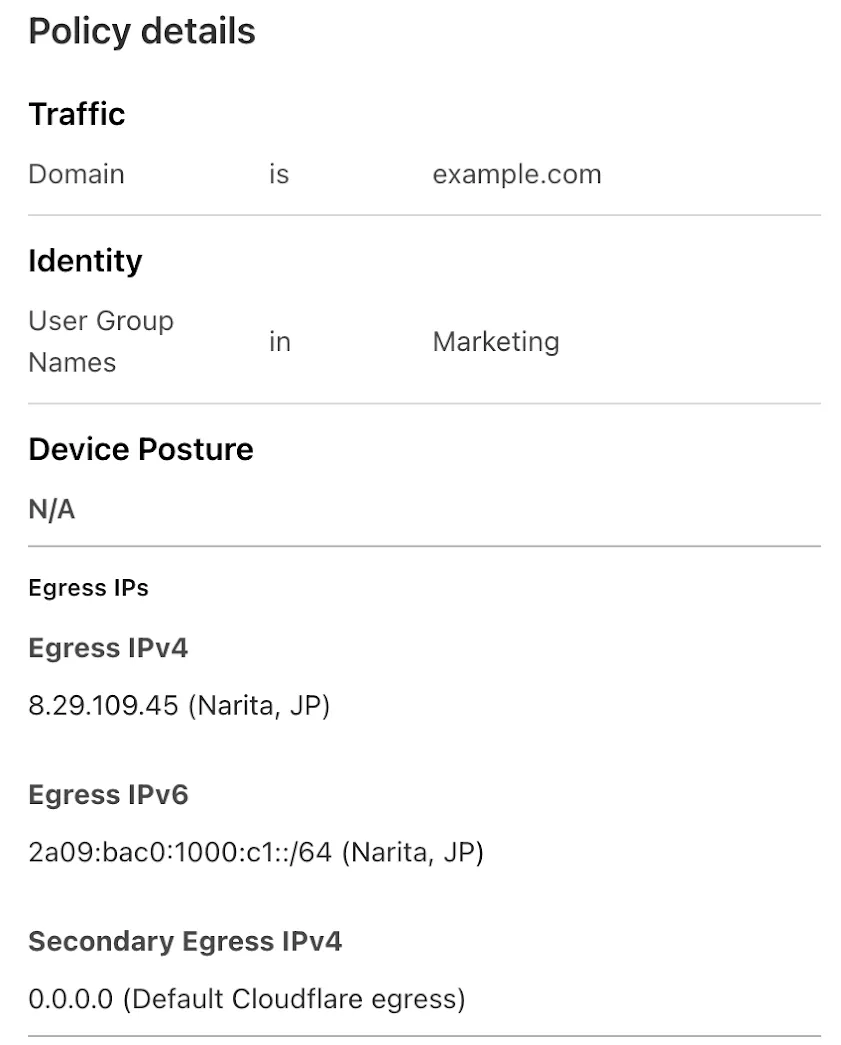
Cloudflare One administrators can now control which egress IP is used based on a destination's fully qualified domain name (FDQN) within Gateway Egress policies.

  • Host, Domain, Content Categories, and Application selectors are now available in the Gateway Egress policy builder in beta.
  • During the beta period, you can use these selectors with traffic on-ramped to Gateway with the WARP client, proxy endpoints (commonly deployed with PAC files), or Cloudflare Browser Isolation.
Egress by FQDN and Hostname

This will help apply egress IPs to your users' traffic when an upstream application or network requires it, while the rest of their traffic can take the most performant egress path.

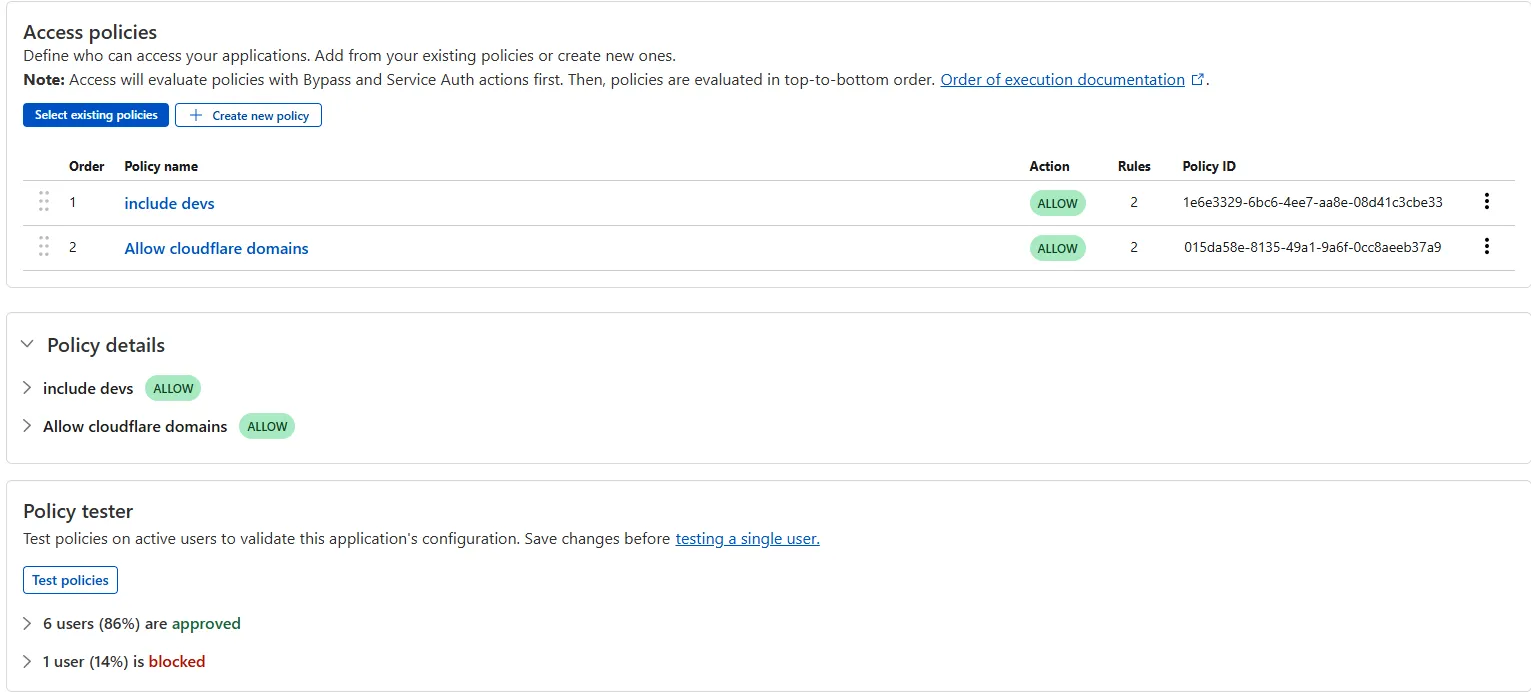
Access bulk policy tester

The Access bulk policy tester is now available in the Cloudflare Zero Trust dashboard. The bulk policy tester allows you to simulate Access policies against your entire user base before and after deploying any changes. The policy tester will simulate the configured policy against each user's last seen identity and device posture (if applicable).

Example policy tester

HTTP redirect and custom block page redirect

You can now use more flexible redirect capabilities in Cloudflare One with Gateway.

  • A new Redirect action is available in the HTTP policy builder, allowing admins to redirect users to any URL when their request matches a policy. You can choose to preserve the original URL and query string, and optionally include policy context via query parameters.
  • For Block actions, admins can now configure a custom URL to display when access is denied. This block page redirect is set at the account level and can be overridden in DNS or HTTP policies. Policy context can also be passed along in the URL.

Learn more in our documentation for HTTP Redirect and Block page redirect.

CASB and Email security

With Email security, you get two free CASB integrations.

Use one SaaS integration for Email security to sync with your directory of users, take actions on delivered emails, automatically provide EMLs for reclassification requests for clean emails, discover CASB findings and more.

With the other integration, you can have a separate SaaS integration for CASB findings for another SaaS provider.

Refer to Add an integration to learn more about this feature.

CASB-EmailSecurity

This feature is available across these Email security packages:

  • Enterprise
  • Enterprise + PhishGuard

Secure DNS Locations Management User Role

We're excited to introduce the Cloudflare Zero Trust Secure DNS Locations Write role, designed to provide DNS filtering customers with granular control over third-party access when configuring their Protective DNS (PDNS) solutions.

Many DNS filtering customers rely on external service partners to manage their DNS location endpoints. This role allows you to grant access to external parties to administer DNS locations without overprovisioning their permissions.

Secure DNS Location Requirements:

  • Mandate usage of Bring your own DNS resolver IP addresses if available on the account.

  • Require source network filtering for IPv4/IPv6/DoT endpoints; token authentication or source network filtering for the DoH endpoint.

You can assign the new role via Cloudflare Dashboard (Manage Accounts > Members) or via API. For more information, refer to the Secure DNS Locations documentation.

Cloudflare One Agent for Android (version 2.4)

A new GA release for the Android Cloudflare One Agent is now available in the Google Play Store. This release includes a new feature allowing team name insertion by URL during enrollment, as well as fixes and minor improvements.

Changes and improvements

  • Improved in-app error messages.
  • Improved mobile client login with support for team name insertion by URL.
  • Fixed an issue preventing admin split tunnel settings taking priority for traffic from certain applications.

Cloudflare IP Ranges List

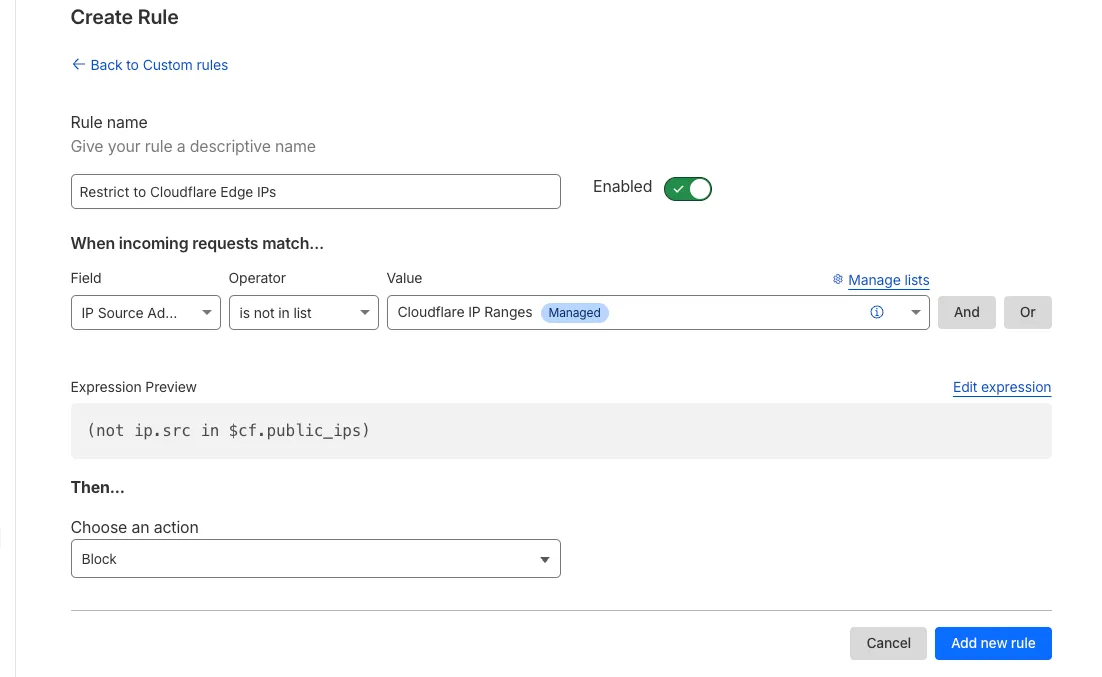
Magic Firewall now supports a new managed list of Cloudflare IP ranges. This list is available as an option when creating a Magic Firewall policy based on IP source/destination addresses. When selecting "is in list" or "is not in list", the option "Cloudflare IP Ranges" will appear in the dropdown menu.

This list is based on the IPs listed in the Cloudflare IP ranges. Updates to this managed list are applied automatically.

Cloudflare IPs Managed List

Note: IP Lists require a Cloudflare Advanced Network Firewall subscription. For more details about Cloudflare Network Firewall plans, refer to Plans.

Cloudflare One Agent now supports Endpoint Monitoring


Digital Experience Monitoring (DEX) provides visibility into device, network, and application performance across your Cloudflare SASE deployment. The latest release of the Cloudflare One agent (v2025.1.861) now includes device endpoint monitoring capabilities to provide deeper visibility into end-user device performance which can be analyzed directly from the dashboard.

Device health metrics are now automatically collected, allowing administrators to:

  • View the last network a user was connected to
  • Monitor CPU and RAM utilization on devices
  • Identify resource-intensive processes running on endpoints
Device endpoint monitoring dashboard

This feature complements existing DEX features like synthetic application monitoring and network path visualization, creating a comprehensive troubleshooting workflow that connects application performance with device state.

For more details refer to our DEX documentation.

Gain visibility into user actions in Zero Trust Browser Isolation sessions

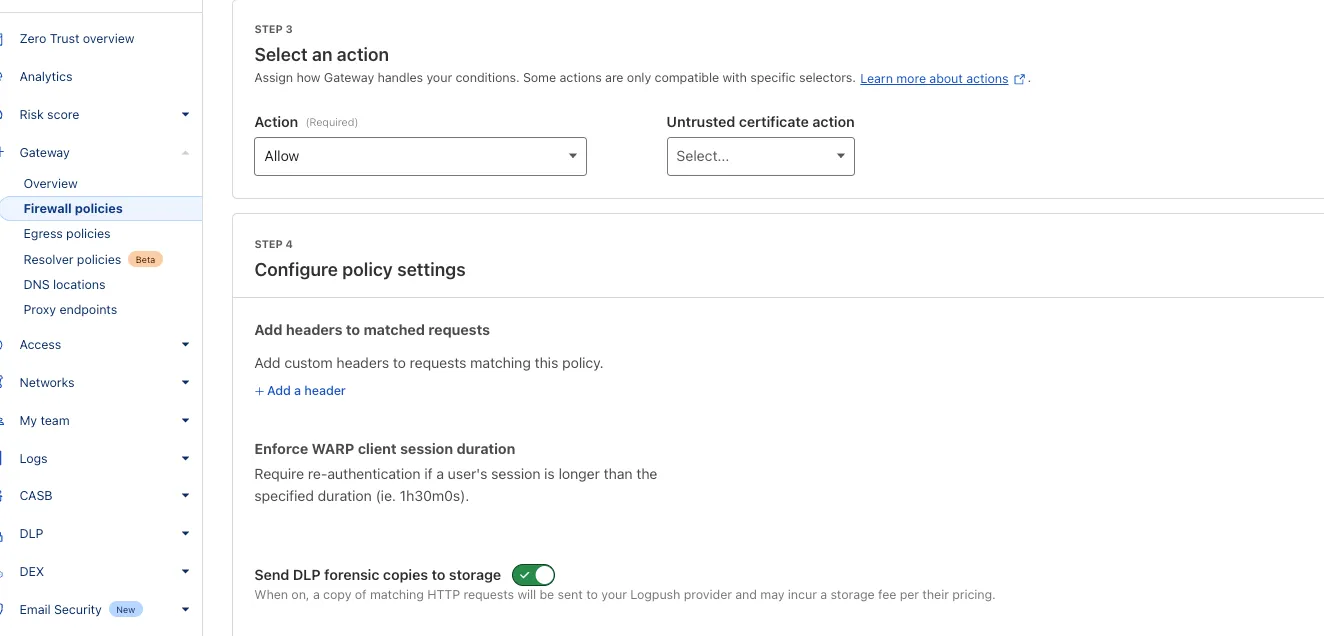
We're excited to announce that new logging capabilities for Remote Browser Isolation (RBI) through Logpush are available in Beta starting today!

With these enhanced logs, administrators can gain visibility into end user behavior in the remote browser and track blocked data extraction attempts, along with the websites that triggered them, in an isolated session.

{
	"AccountID": "$ACCOUNT_ID",
	"Decision": "block",
	"DomainName": "www.example.com",
	"Timestamp": "2025-02-27T23:15:06Z",
	"Type": "copy",
	"UserID": "$USER_ID"
}

User Actions available:

  • Copy & Paste
  • Downloads & Uploads
  • Printing

Learn more about how to get started with Logpush in our documentation.

New SAML and OIDC Fields and SAML transforms for Access for SaaS

Access for SaaS applications now include more configuration options to support a wider array of SaaS applications.

SAML and OIDC Field Additions

OIDC apps now include:

  • Group Filtering via RegEx
  • OIDC Claim mapping from an IdP
  • OIDC token lifetime control
  • Advanced OIDC auth flows including hybrid and implicit flows
OIDC field additions

SAML apps now include improved SAML attribute mapping from an IdP.

SAML field additions

SAML transformations

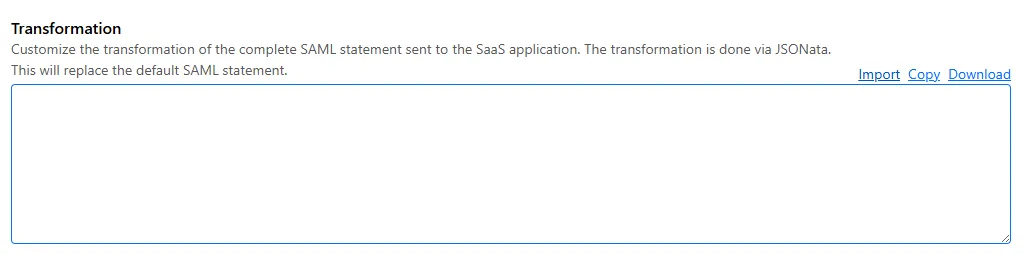
SAML identities sent to Access applications can be fully customized using JSONata expressions. This allows admins to configure the precise identity SAML statement sent to a SaaS application.

Configured SAML statement sent to application

Use Logpush for Email security detections

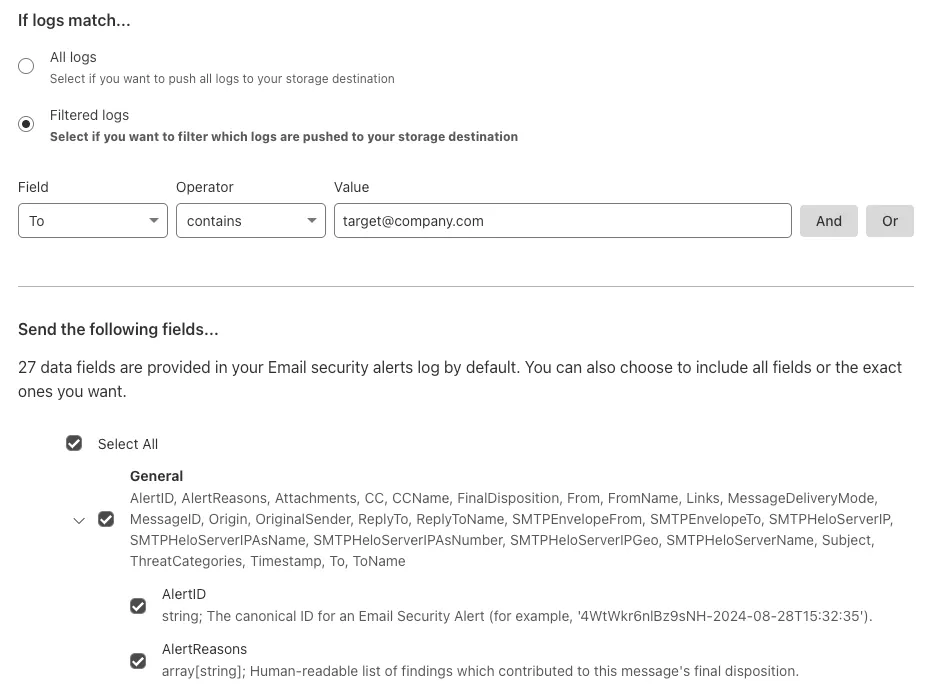
You can now send detection logs to an endpoint of your choice with Cloudflare Logpush.

Filter logs matching specific criteria you have set and select from over 25 fields you want to send. When creating a new Logpush job, remember to select Email security alerts as the dataset.

logpush-detections

For more information, refer to Enable detection logs.

This feature is available across these Email security packages:

  • Enterprise
  • Enterprise + PhishGuard

Check status of Email security or Area 1

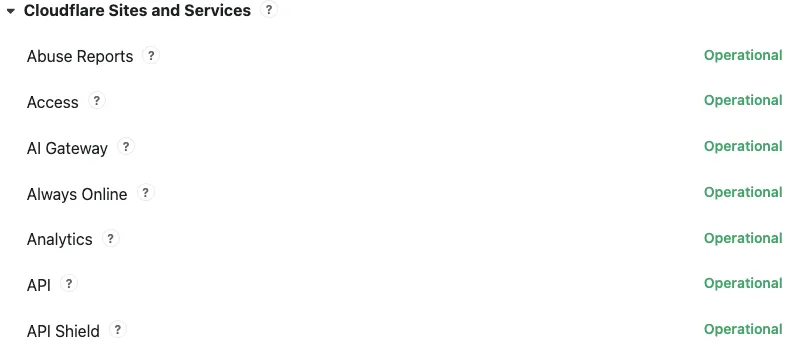
Concerns about performance for Email security or Area 1? You can now check the operational status of both on the Cloudflare Status page.

For Email security, look under Cloudflare Sites and Services.

  • Dashboard is the dashboard for Cloudflare, including Email security
  • Email security (Zero Trust) is the processing of email
  • API are the Cloudflare endpoints, including the ones for Email security

For Area 1, under Cloudflare Sites and Services:

  • Area 1 - Dash is the dashboard for Cloudflare, including Email security
  • Email security (Area1) is the processing of email
  • Area 1 - API are the Area 1 endpoints
Status-page

This feature is available across these Email security packages:

  • Advantage
  • Enterprise
  • Enterprise + PhishGuard

Use DLP Assist for M365

Cloudflare Email security customers who have Microsoft 365 environments can quickly deploy an Email DLP (Data Loss Prevention) solution for free.

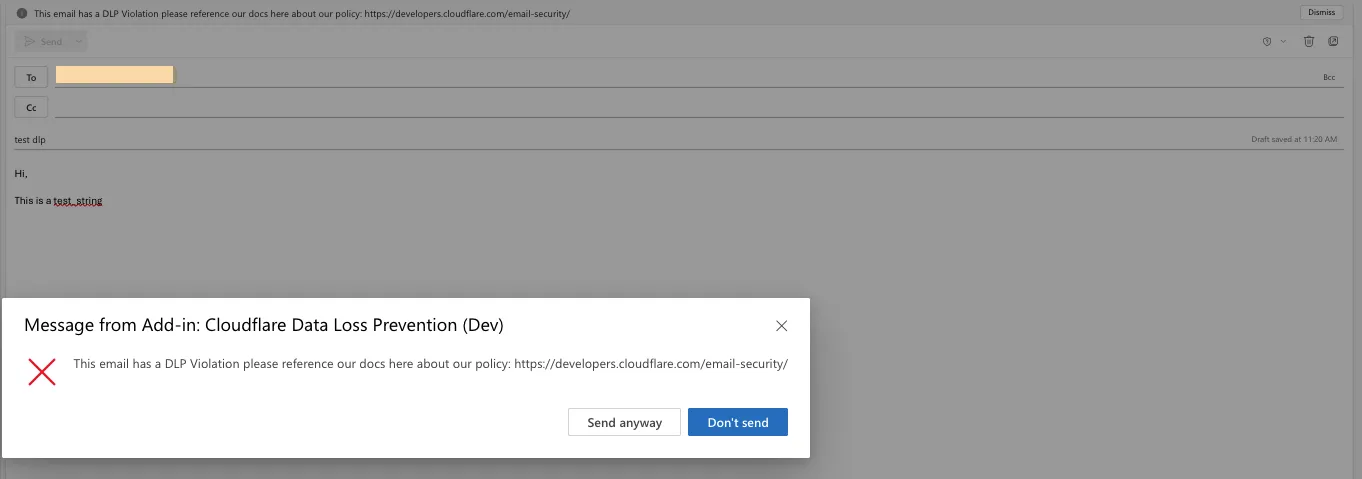
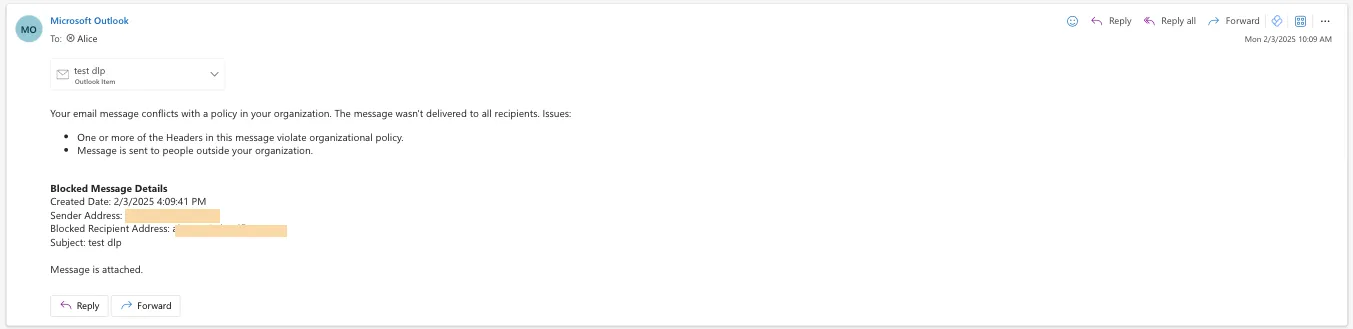
Simply deploy our add-in, create a DLP policy in Cloudflare, and configure Outlook to trigger behaviors like displaying a banner, alerting end users before sending, or preventing delivery entirely.

Refer to Outbound Data Loss Prevention to learn more about this feature.

In GUI alert:

DLP-Alert

Alert before sending:

DLP-Pop-up

Prevent delivery:

DLP-Blocked

This feature is available across these Email security packages:

  • Enterprise
  • Enterprise + PhishGuard

Configure your Magic WAN Connector to connect via static IP assignment

You can now locally configure your Magic WAN Connector to work in a static IP configuration.

This local method does not require having access to a DHCP Internet connection. However, it does require being comfortable with using tools to access the serial port on Magic WAN Connector as well as using a serial terminal client to access the Connector's environment.

For more details, refer to WAN with a static IP address.